Wedding Invitation Maker App
EverestSolEvents
0.00.00 Reviews
- Version
- 1.15
- Installs
- 100.00K
- Age Rating
- Everyone
Screenshots
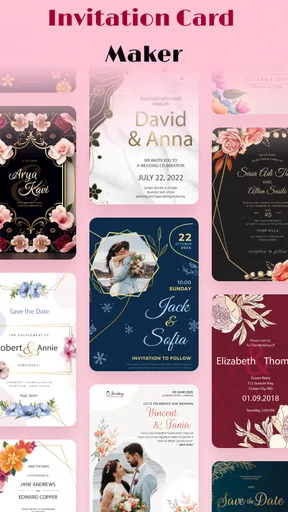
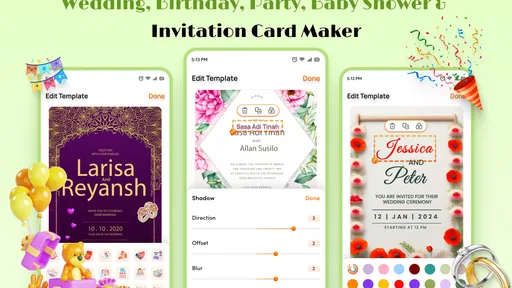
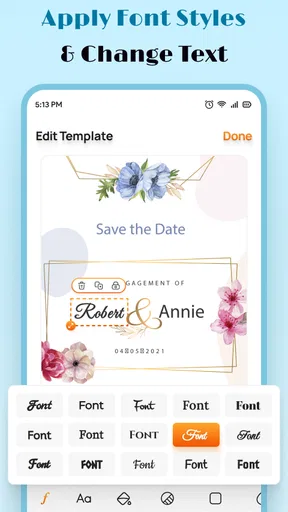
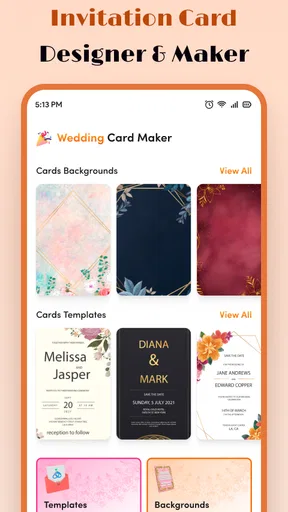
Our Review of Wedding Invitation Maker App
 Analysis by Appyee
I tried Wedding Invitation Maker as a practical event-design app rather than treating it as a general graphics editor, and that distinction matters. Its focus is narrow: helping you prepare wedding cards with text and shape an invitation that can be shared with people who need the details. I found that focus useful when the main job is to get a wedding announcement looking presentable without opening a full desktop design suite.
The app is made by EverestSol and belongs to the Events category. It is free to install, carries an Everyone content rating, and works on Android devices running version 6.0 or later. Its current version is 1.15, while the app has reached over one hundred thousand installs. Those details make it fairly approachable for couples, relatives, and friends who want to work from a phone that is not necessarily new.
My overall impression is that this is best understood as a focused wedding invitation maker, not a complete wedding-planning system. It can help with the visual card itself, but it should not be chosen with the expectation that it will organize guests, manage responses, build a seating plan, or replace a print service. That limited purpose is also its main advantage: you can concentrate on the invitation instead of navigating a large collection of unrelated design tools.
How the app feels when you use it for a real invitation
The most useful way to approach the app is to prepare the wording before worrying about decoration. I would first gather the couple’s names, ceremony details, reception information, location, and any note about dress or attendance. Then I would use the app to arrange that text into a card. This prevents the common mistake of choosing a beautiful layout first and discovering that the important information has no comfortable space.
Text is central to the experience. That sounds obvious, but wedding invitations are unusually sensitive to hierarchy. The names should be noticed first, followed by the date and place, while secondary instructions should remain readable without competing with the main announcement. A card can look attractive and still fail if the location is too small or the time gets lost in decoration. I recommend reviewing the finished design as if you were a guest reading it quickly on a phone.
For a realistic everyday scenario, imagine a family member asking you on a Thursday evening to prepare a digital invitation for a group chat before the weekend. You may already have the wording in a message and only need a clean visual card. This is where a dedicated app makes sense. You can focus on the wedding message instead of building a blank canvas from scratch, and the result should feel more intentional than simply forwarding a block of text.
That workflow is also helpful when several people are contributing. One person can settle the wording, another can check the date and venue, and a third can judge whether the card is easy to read. I would treat the first design as a draft rather than sending it immediately. Read every line aloud, check names letter by letter, and make sure the day and time are not visually buried. A design app cannot rescue incorrect event details.
What makes the focused approach useful
Compared with starting in a general image editor, the app’s wedding-specific purpose reduces the amount of creative setup. A general tool may offer more freedom, but that freedom can slow down someone who simply wants a polished invitation. Here, the intended result is clear from the start: a wedding card containing text. That makes it more suitable for a parent, sibling, or couple who does not normally design graphics.
I also like the idea of using it for several versions of the same announcement. A formal card for older relatives may need a different wording rhythm from a shorter message for friends. Rather than forcing one invitation to serve every audience, you can think about the card as a communication tool. The key trade-off is the extra checking: every variation must be proofread independently, because changing text can alter spacing and emphasis.
A less obvious but important tip is to design for the smallest screen on which your guests are likely to read the card. An invitation that looks balanced on your own large phone may become tiring on an older device. Keep the wording economical, avoid filling every available area, and leave enough visual separation between the event details. The app’s value is not just in adding decoration; it is in helping you turn necessary information into something people can scan.
Another useful workflow is to keep a plain-text version of the invitation beside the visual version. The card is better for presentation, but a text message is easier to search, copy, and reference later. If a guest asks for the address, you should not have to zoom into an image to find it. I would use the app for the announcement and retain the exact wording separately for practical follow-up.
Free access and the question of paid value
The app is free, which makes it easy to try before committing your time to a design. That is important for an invitation because the right result depends on personal taste. You can decide whether the editing experience suits you, whether the text remains comfortable to read, and whether the finished card matches the tone of the wedding before considering any optional spending.
There are in-app purchases ranging from $3.59 to $35.99 per item. I would not treat the upper end as automatically worthwhile simply because a wedding is an important occasion. The sensible approach is to judge the free experience first and pay only if a specific paid element solves a real problem for your card. A premium-looking design is not valuable if it makes the date, venue, or RSVP instruction harder to understand.
This also means the app has two different kinds of value. The free access has practical value for someone who needs one invitation and wants to experiment without an upfront charge. Paid value depends on what you personally need from the available purchase options and how much the design improvement matters to your event. I would avoid budgeting around an assumed total cost; instead, inspect the purchase choice shown in the app and decide whether it is justified by the result you can actually see.
For a small family event, free access may be enough. For a couple preparing multiple versions, or someone who cares deeply about a particular visual finish, a paid option might be easier to justify. Even then, I would compare the result with a free alternative before buying. The app’s purchase range is clear, but the right value judgment is personal: an extra design choice is useful only when it saves time or produces a card you genuinely prefer.
Where the app is less convincing
The narrow focus that makes the app approachable also limits it. If you want a full wedding workflow, this is not the right destination. You would still need separate tools for guest tracking, reminders, RSVP collection, budget planning, and schedule coordination. A card maker can announce an event, but it does not become an event-management system simply because the event is a wedding.
I would also be cautious if your invitation needs unusually precise branding or print preparation. A specialist print workflow or a full design editor may be better for exact dimensions, advanced typography, detailed image treatment, or professional production requirements. Someone ordering a large batch of formal printed invitations should confirm the final output requirements before relying on a phone-based design app.
There is a practical limitation in designing on a small screen as well. Fine spacing decisions can be difficult when you are working with your finger, especially after adding a long venue name or several lines of instructions. This is why short wording matters so much. If the invitation needs a long explanation, a separate information message or wedding website may communicate it more clearly than squeezing everything into one card.
Another trade-off concerns consistency. A focused invitation app can help you create a card quickly, but a general design platform may offer a broader family of matching materials, such as menus, signs, programs, or thank-you cards. If you want every wedding item to share a carefully controlled visual identity, the broader platform may be the better long-term choice. If you only need the invitation itself, that extra breadth can feel unnecessary.
Who will get the most from it
I think the strongest audience is someone who wants a wedding invitation that feels more personal than a plain message but does not want to learn a complicated design program. That includes couples making their own announcement, relatives helping with the event, and friends preparing a surprise invitation for someone else. The Everyone rating also makes the app broadly approachable for households where different generations may be involved in the design process.
It is especially suitable when speed and clarity matter more than elaborate art direction. A small ceremony, a last-minute digital announcement, or a family event coordinated through messaging groups can all benefit from a dedicated card-making tool. The free starting point lowers the risk for occasional users, while the Android compatibility requirement of 6.0 or later keeps it available to many existing devices.
I would be less likely to recommend it to a professional designer, a couple demanding exact print specifications, or anyone expecting one app to handle the entire event. I would also suggest skipping it if you already have a trusted design workflow that produces the exact style you want. Switching tools only makes sense when this app is simpler for your particular invitation, not merely because it is wedding-themed.
One of the best ways to get value is to assign the app one clear job. Use it to create the visual invitation, then use ordinary messaging or another event tool for questions, confirmations, and updates. This separation keeps the card attractive and prevents it from becoming overloaded with information. It also makes later changes easier: if the venue changes, you can send a written correction while preparing an updated card when appropriate.
My final recommendation
I recommend giving Wedding Invitation Maker a try if you need a straightforward digital wedding card and want to begin without paying to install it. Its focused purpose, accessible age rating, and support for Android 6.0 or later make it a reasonable first option for casual users. I would spend time on wording and readability before thinking about decorative choices, because those are what determine whether the invitation actually helps guests.
The paid options should be approached carefully. With purchases from $3.59 to $35.99 per item, the app can move from a free experiment to a more significant expense depending on what you choose. I would only pay after seeing a clear benefit in the design and after comparing the result with a free version. The free route is likely the better fit for a one-off announcement, while paid value makes more sense when a particular option saves meaningful effort or delivers a style you cannot easily achieve otherwise.
My verdict is positive but specific: this is a useful card creator, not a complete wedding service. It earns its place when you want a presentable invitation made on an Android phone, especially for sharing digitally and keeping the process approachable. It is not the best choice for advanced print production, extensive event administration, or a coordinated suite of wedding stationery. Used within those boundaries, Wedding Invitation Maker offers a sensible way to turn essential wedding details into a more thoughtful announcement.
Verdict
Strengths of Wedding Invitation Maker App
- Create polished wedding invitations without design experience.
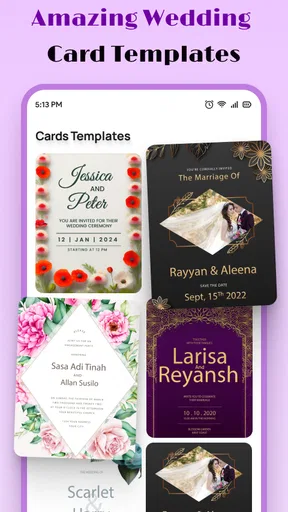
- Offers templates for different wedding styles and themes.
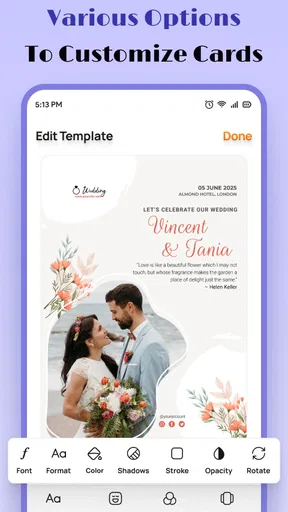
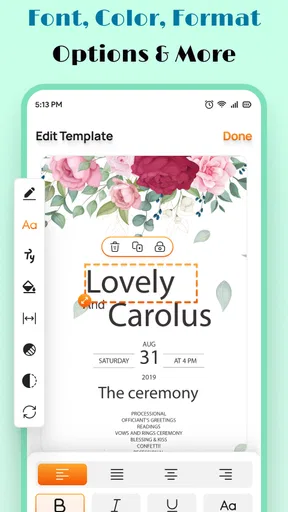
- Easy text, color, font, and photo customization.
- Convenient digital sharing through messaging and social apps.
- Saves time and money compared with printed invitations.
Limitations of Wedding Invitation Maker App
- Some attractive templates and graphics require a subscription.
- Advanced editing options may feel limited for professional designers.
- Export quality can vary depending on the selected format.
- Ads may interrupt editing in the free version.
- An internet connection may be needed for some features.
Similar Picks in This Category
View All
Easy Quran Mp3 Audio Offline
Muslim Worldapp4.7

Invitation Maker: Cards & RSVP
Greetings Island4.9

StubHub - Live Event Tickets
StubHub4.3

Fever: Events & Tickets
Fever Labs4.7

Epic Freebie Games Radar
Arioch Pds - Apps & Games4.4

Invitation card Maker, Design
Splendid App Maker4.9
Frequently Asked Questions
What is Wedding Invitation Maker App used for?
Wedding Invitation Maker is a design app for creating personalized digital wedding invitations, save-the-date cards, engagement announcements, RSVP cards, and related event stationery. It provides editable templates, text tools, colors, fonts, graphics, and photo options, allowing you to produce an invitation without advanced design experience. It is especially useful when you want a quick, attractive alternative to designing everything from scratch.
Can I customize the invitations with my own wedding details and photos?
Yes, the app is designed around customization. You can usually replace the sample names, dates, times, venue information, RSVP instructions, and other wording with your own details. Many templates also let you change fonts, colors, backgrounds, decorative elements, and images. Before sharing the final version, review every spelling, address, and event time carefully, since template text may remain if it is not manually edited.
Can I share or print invitations created with the app?
After finishing a design, you can generally save or export it as an image or another supported file format and share it through messaging apps, email, or social media. Depending on the template and the app version, printing may also be possible by saving a high-quality file and sending it to a professional printer. Check the export settings first, because some formats, resolutions, or sharing options may require a premium plan.
Is Wedding Invitation Maker free to use?
The app may be available to download for free, but free access commonly includes limitations such as advertisements, a smaller template library, restricted design elements, or a watermark on exported invitations. Premium features may be offered through in-app purchases or a subscription. Before creating a complete invitation, review the pricing page and confirm whether the selected template, graphics, and export quality are included in the free version.
Does the app require an internet connection or an account?
Basic editing may work without a constant internet connection once the app and its required resources are installed, but internet access can be needed to load online templates, download design assets, synchronize projects, display advertisements, or complete premium purchases. An account may also be requested for cloud saving or accessing designs across devices. Availability can vary by Android or iOS version, so check the app’s current requirements before downloading.
